

3063 & 46 ILX EJECTEZE
Liquid Billet Release

3049 & BL 463 2S EJECTEZE
Shear & Discard Lubrication

3500 & 410 BNP DYLUBE
Powder Billet Release

325 LX EJECTEZE
Manual Billet Release and Anti-Seize

6000E and CANMIST
Saw Lubrication

BN Wax Sticks
412 & 428 BNW DYLUBE

Precision Lubrication for Sawing
Engineered Nozzles

6000-ETC Controller
PLC Controlled Lubrication

6000E for Circular Sawing Aluminum
SMART Metering Reinventing Saw Lubrication

Legacy 6000 Series Systems
6000P Pneumatically Controlled Applicators

3200 & 921 DS CANT RUST
Corrosion Inhibitors and Coating Systems

Model 3200S
Electronic Tube Coating Systems

6000E & CANMIST
Cutting of Steel Profiles

3076 & 2200 CHARCOOL
Tube Mill & Roll Forming Coolants & Filtration

62 RP SPINDLE LUBE
Anti-Seize for Spindles

2200 LX CHARCOOL & SF 160
CNC Coolants & Reclamation Systems

Forming and Fabricating
Lubricants and Equipment
AMCOL QR Codes
Get Support Documents When You Need Them Most
You can now easily access support materials for AMCOL equipment by obtaining QR code stickers. Simply peel off the backing and affix to an AMCOL spray system, fabrication machine, maintenance toolbox, or desk. These QR code stickers offer a hassle-free solution to accessing information on-the-fly.

Scan the QR code when you need:
• Manuals and Bulletins
• Spare parts
• Set-up videos
• Available options and add-ons
• And more!
They’re Free. So request as many as you want!
To request stickers for your AMCOL products, please fill out the form below. Not sure which products you need? Give us a call at 248-414-5700, we’ll be happy to help.
Click here for information about QR Codes for digital handheld refractometers. QR’s provide direct links to dilution charts for your specific AMCOL product.
How to get the most out of AMCOL QR Codes:
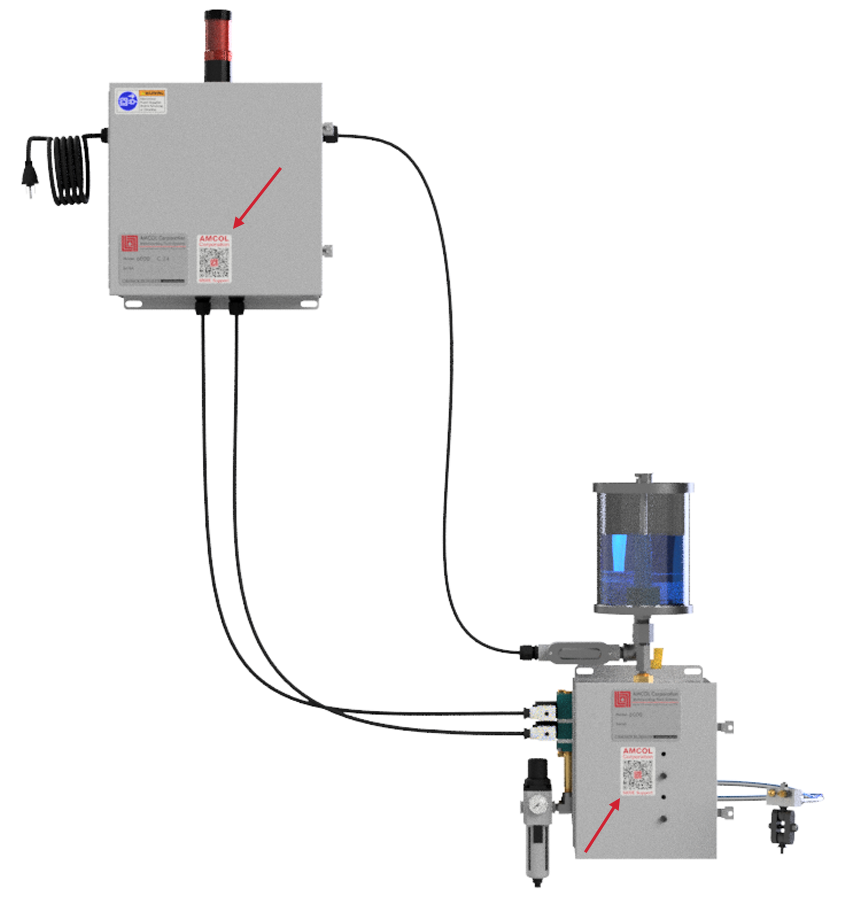
Install labels at optimum positions on your AMCOL equipment. There are links to best placement suggestions below. (New AMCOL equipment will come with the codes pre-installed)
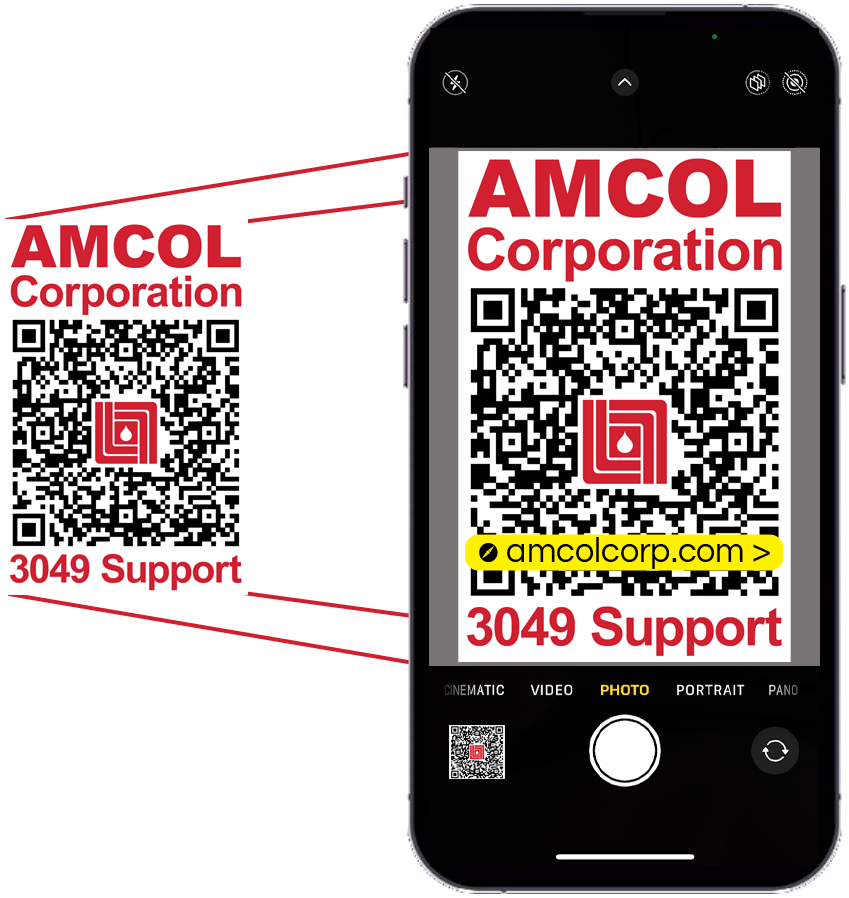
When maintenance, engineering, production, or any other personnel need access to setup and support documents, all they require is a smartphone equipped with a camera and internet connectivity. To access the information, follow these simple steps:
1. Open your smartphone’s native camera app.
2. Ensure the entire QR code is within the screen.
3. Tap the link that appears.
No need to download any QR code apps; simply use your smartphone’s built-in camera.
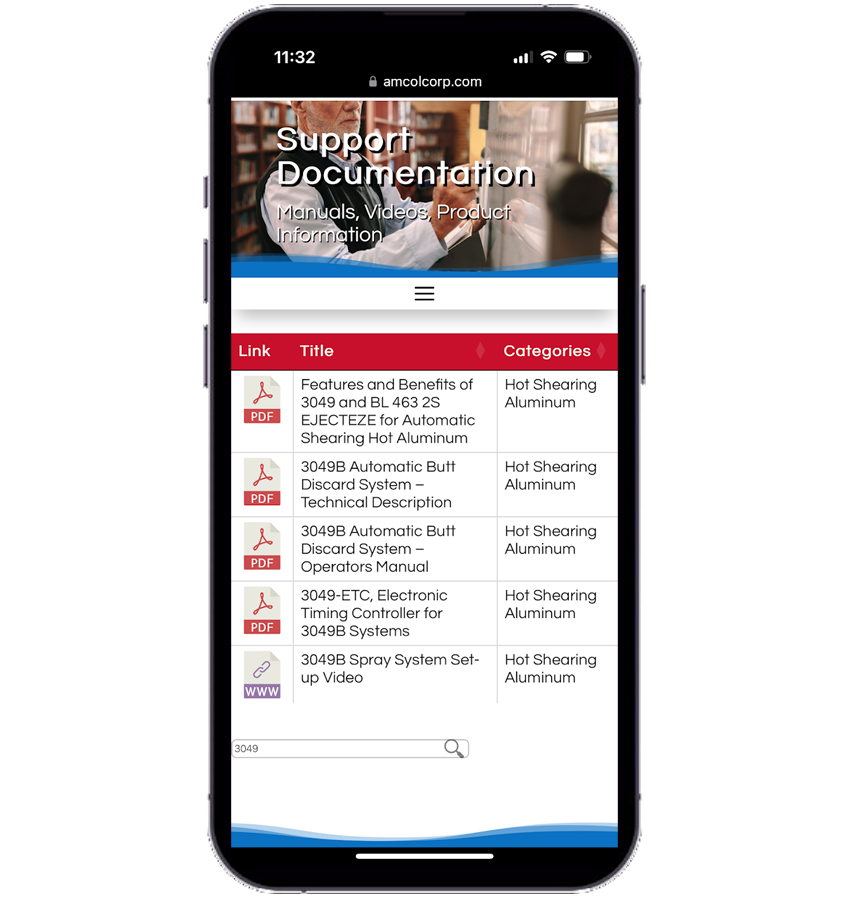
The link will open a browser, directing you to a document library on the AMCOL website. This page will display a pre-filtered list of documents related to your specific AMCOL product. From there, you can easily select the specific document you are looking for. Just tap the icon to the left, and the document will open. The best part is, you won’t be asked to register, log in, or provide any personal information.
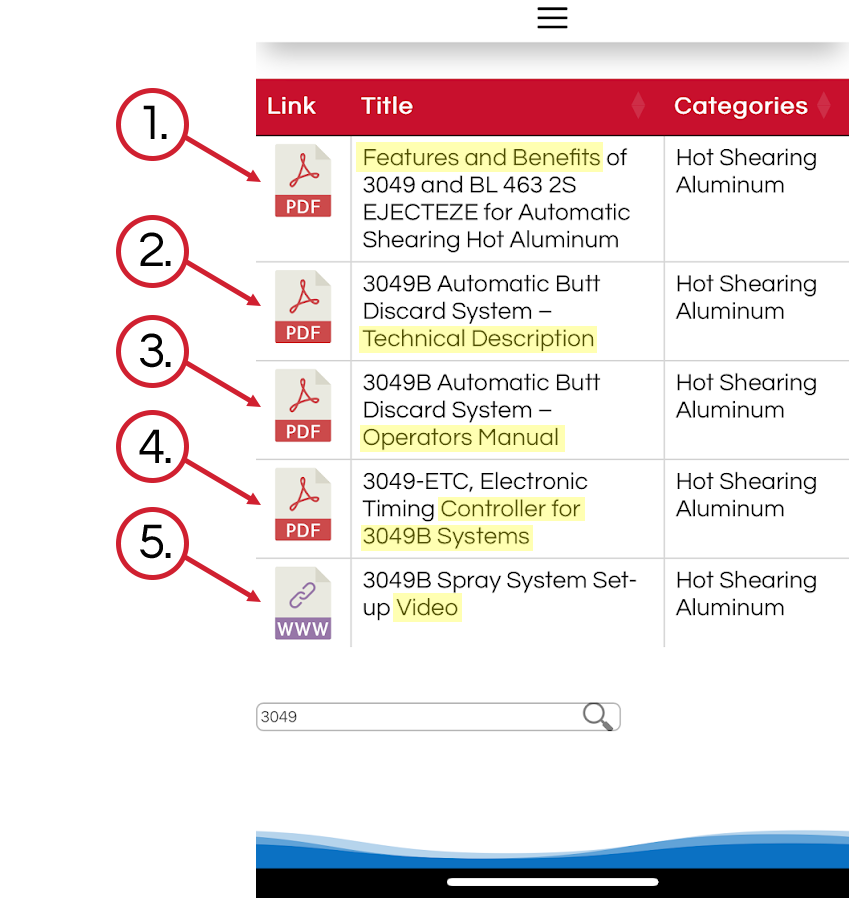
Document search results are categorized in this order:
1. Features and Benefits: This section provides a comprehensive summary of the product’s highlights and companion products.
2. Technical Description: Here, you’ll find information on the system overview, descriptions of components and options, and details on how to place orders.
3. Operator’s Manual: This category covers assembly and installation, recommended settings, operational guidance, troubleshooting, and replacement parts.
4. Related Literature: Describes available accessories, options and components.
5. Videos: For a more visual approach, you’ll find convenient videos that highlight how to install, set up, and operate your system.
Current AMCOL QR Codes:
Click below to see the pre-filtered search results for 3049:
Click below to see the pre-filtered search results for 3063:
Click below to see the pre-filtered search results for 3076:
Click below to see the pre-filtered search results for 3200S:
Click below to see the pre-filtered search results for 3049:

Click below to see the pre-filtered search results for 3063:

Click below to see the pre-filtered search results for 3076:

Click below to see the pre-filtered search results for 3200S:

Click below to see the pre-filtered search results for 3500:
Click below to see the pre-filtered search results for 6000E:
Click below to see the pre-filtered search results for 6000-ETC-FF:
Click below to see the pre-filtered search results for 6000P:
Click below to see the pre-filtered search results for 3500:

Click below to see the pre-filtered search results for 6000E:
Click below to see the pre-filtered search results for 6000-ETC-FF:

Click below to see the pre-filtered search results for 6000P: